You guys might of read a lot about Photo Etch, But these are my experiences working with it.
I thought I share it.
Sorry for some spelling errors, but I think you guys can understand it.....

After building plastic models "right out of the box", almost every builder starts to think about adding extra "photo etched" details. In this way, the models are more realistic and detailed.
Today there are many different companies that make detail parts for modellers. From stickers, special paints and metal parts, to complete conversion kits. One of the most frequent upgrades available for plastic models are the so called Photo-Etched Detail sets (or upgraded parts).
In this small tutorial, I will try to share my knowledge about working with photo-etched parts (P / E)

What is P / E or Photo Etch?
Photo etched parts Types
Photo etched parts are small metal parts made by a photochemical process of a sheet of thin metal (etching). This process can make very small and accurate parts of almost any shape with a high-precision . All the P / E parts are made of different materials. Steel, nickel, copper, and are available in different thicknesses.
Before the parts can be used on the model, they should be cleaned, just like any other part of the model. P / E parts connected to the frame can be cleaned with a damp cloth with water and detergent. It is essential to remove residue, to let paint and glue sticking on the P / E parts.

Removing the P / E parts, tools
Parts included in the frame, can be cut with a craft knife. Place the frame on a hard cutting board. Not on a cutting mat! A cutting mat is too soft, and there is a risk that the parts may bend when cutting loose! Hold down the item securely, and cut the tabs loose. Try to cut as close to the part as possible, to minimize cleaning. When the P / E part is really small, there is a possibility that it can fly away when you cut! And believe me, I've lost many parts this way! The trick is to put the frame on a piece of tape. Than the part will stick to the tape, and is not going to fly. Some parts are so small, you'll never find them back otherwise. The carpet monster will eat it, or a vacuum cleaner will find it...
It's still a good idea to hold the part down while you cut the part loose.

tools
Some of the standard tools:
• a very sharp craft knife
• a file
• a wire cutter
• tweezers
• C / A glue (superglue)
• and a toothpick

One last thing ... Don't cut out all the parts at once, but only the parts that you really need for direct mounting. A majority of the parts are so small (even 0.2mm) that they are easy to lose. So work with one part at the time!
Bending of photo etched parts
Sometimes the instructions tells you to bend an item. On vehicle models, these are usually wipers, screens, engine parts, clamps, etc. Depending on the softness of the metal it can be sometimes difficult to bend, especially if you need a sharp angle. There are some special photo etch bending tools on the market if you plan to do a lot of bending. I use a so-called "hold and fold" from the small shop.

With this tool you can clamp the part tight on the bending line. Slide an old-fashioned razor blade under the part, and lift it up for a prefect angle. Very useful when folding ammunition boxes for example . If you don't bent much P /E , you can also bend it with a metal ruler and a craft knife. Another alternative is the use of a flat long-nosed pliers or a pair of tweezers and craft knife.
Ways to attach to the model.
P / E glue
Since photo etched parts are made of metal, plastic glue will not work on it. CA glue (superglue) is widely used because it almost glues everything. I use CA glue for many tasks, including P / E parts.
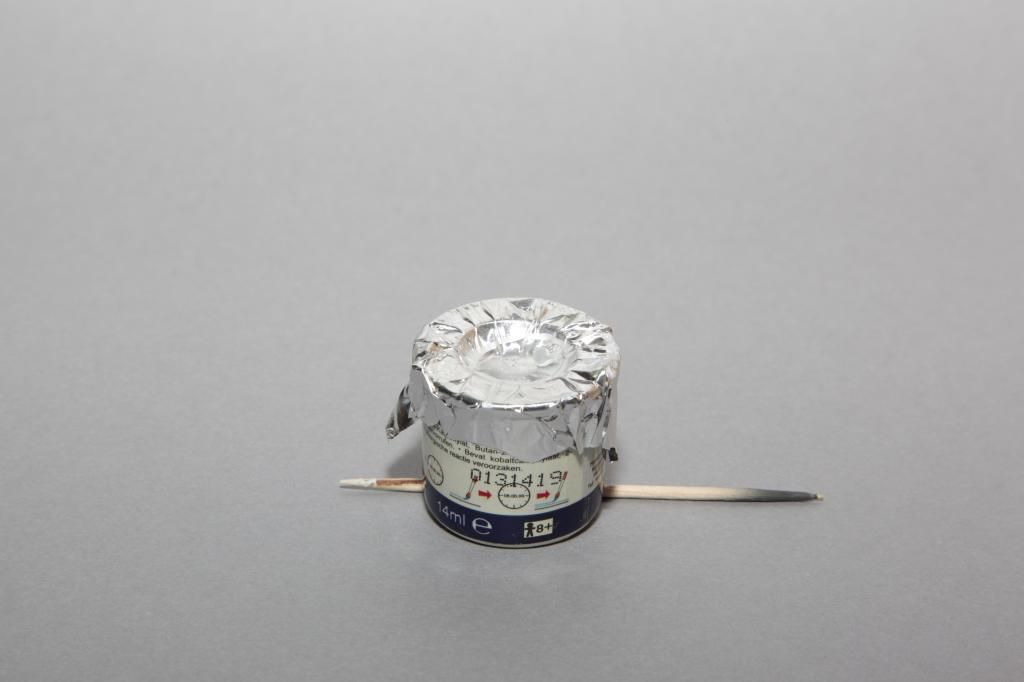
Note that you work very carefully with this glue, because you will need very little of it. You got quickly too much glue on your model, and its hard to remove. If you do spill, let it dry and scrape it away with a scalpel. I use a toothpick to apply glue. I sharp the tip of the toothpick, so I have a thin point that I can dip in the glue. I put a drop of C / A glue on a piece of plastic and dip the toothpick in there. I touch the place where the item should be, and I place the part.
Be carefull of your fingers! So do not press down the part with your fingers, because you will stick to your model are as it happens! Experience? Yes ....

Many parts can hold with tweezers, but do not squeeze too hard, the parts jump very far! Unfortunately I lost a lot of parts that way. Another way to deal with this problem is to putt at the end of a toothpick a piece of Pritt poster buddy. So you can pick up the small part and bring it to the model without flying away. Exercise is a requirement, it's really not easy in the beginning.
conclusion
Photo etch parts is a great way to get more realism and detail in your model.
Keep in mind that you should have some experience in modeling, because this technique is not easy and needs some experience.
But one must begin, and if one has mastered, he can make the most beautiful models!


 Cheers guys!